One deal, start to finish
The owner's side and the buyer's side of the same deal, from the post to the payout. Every screenshot is from our demo installation, Demo Group, with made-up people and orders.
1You post the deal.
Title, product, the price you'll pay per unit, a cap, the dates. Price groups let trusted buyers see a better rate. Individual offers go to one person.
If the seller limits a household to a lot, say three coins to an order, set coins per order: members sign up by number of orders, and caps, limits, payments and reports count coins. A later release at a different price is its own deal with its own sign-ups and dates, listed beside the original; your dealers see both as one product. With your own file storage connected, you can add a picture to each deal.
Away from your desk? The On the go screens on your phone save a new deal as a draft for you to finish later.
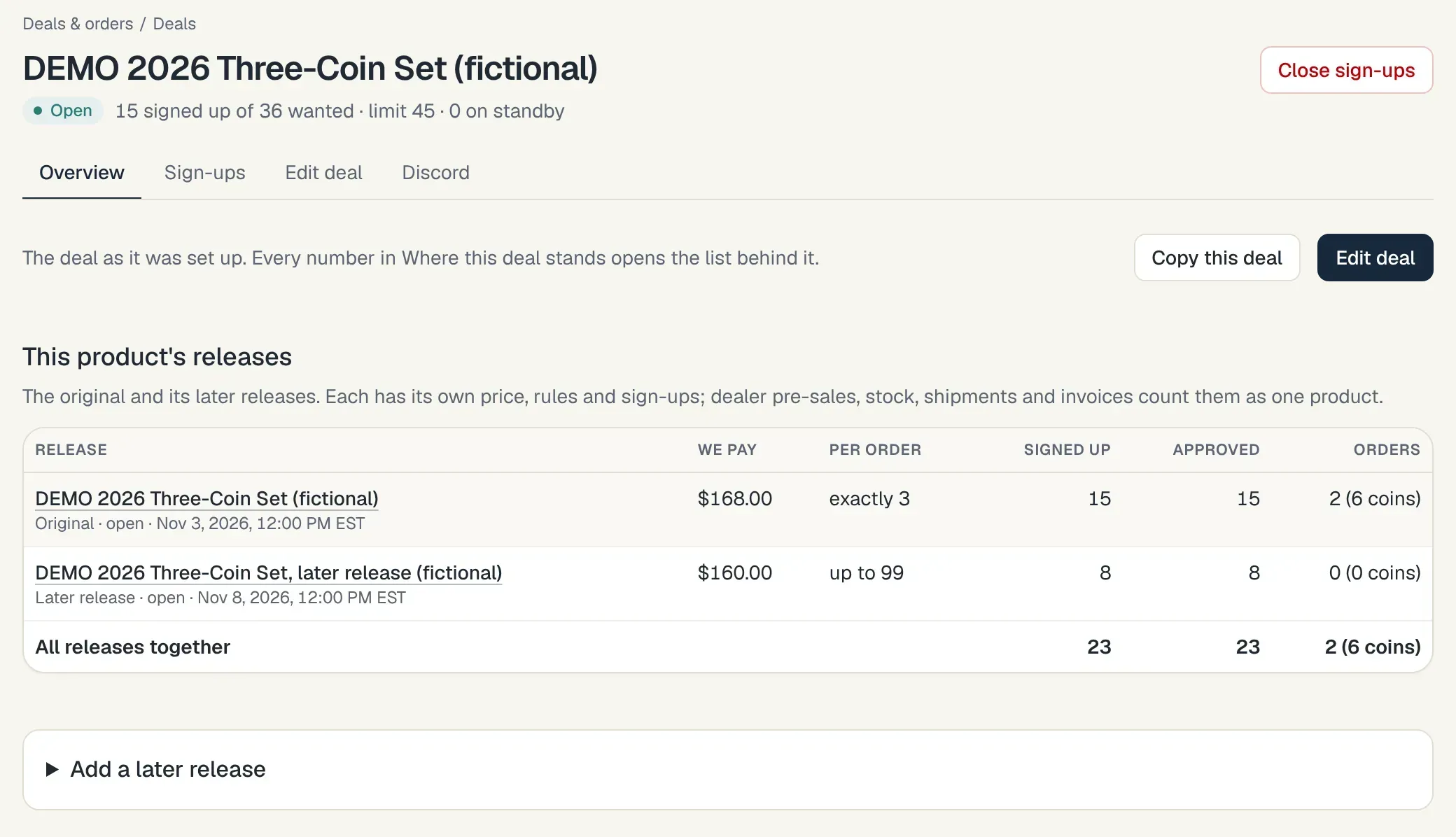
A deal and its later release, counted together. 2Members sign up.
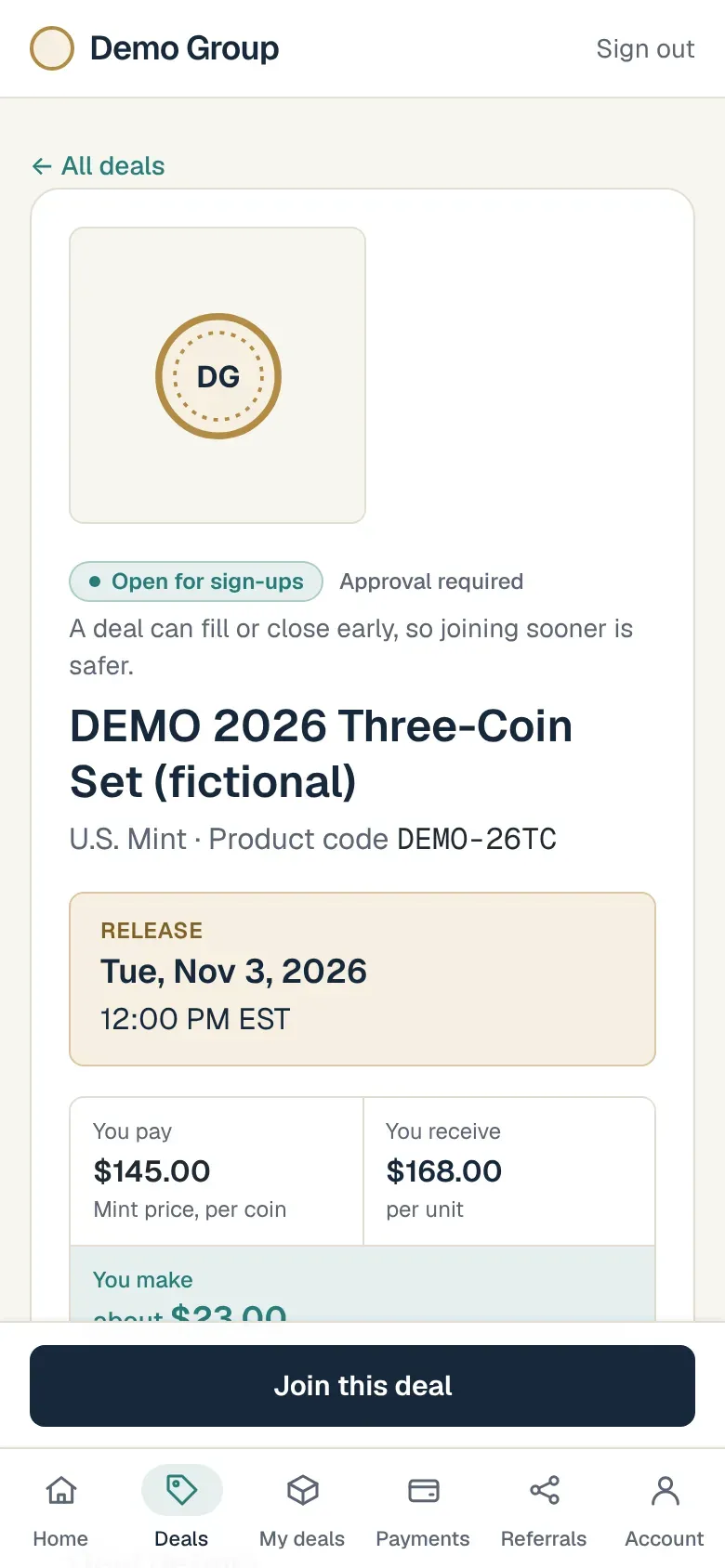
They see the terms as they stood when they signed up, choose how many, and wait for your approval. When the deal is full, new sign-ups go on standby, and you promote them when a place opens.
Bringing an existing list? Import your buyers from a spreadsheet (every upload has a sample sheet showing what goes in each column) and invite them to finish their accounts. Invitations go out through your own email account once it's connected; until then the portal gives you each link to send yourself, by WhatsApp, text or your own email.
A deal's page has a Share by WhatsApp button and a shorter text for WhatsApp Status, and members share their referral links the same way. Buyers say yes to WhatsApp when they create their account, and their consent is recorded.
Members can sign in with a password, or with Google once you connect your own Google app and switch it on.
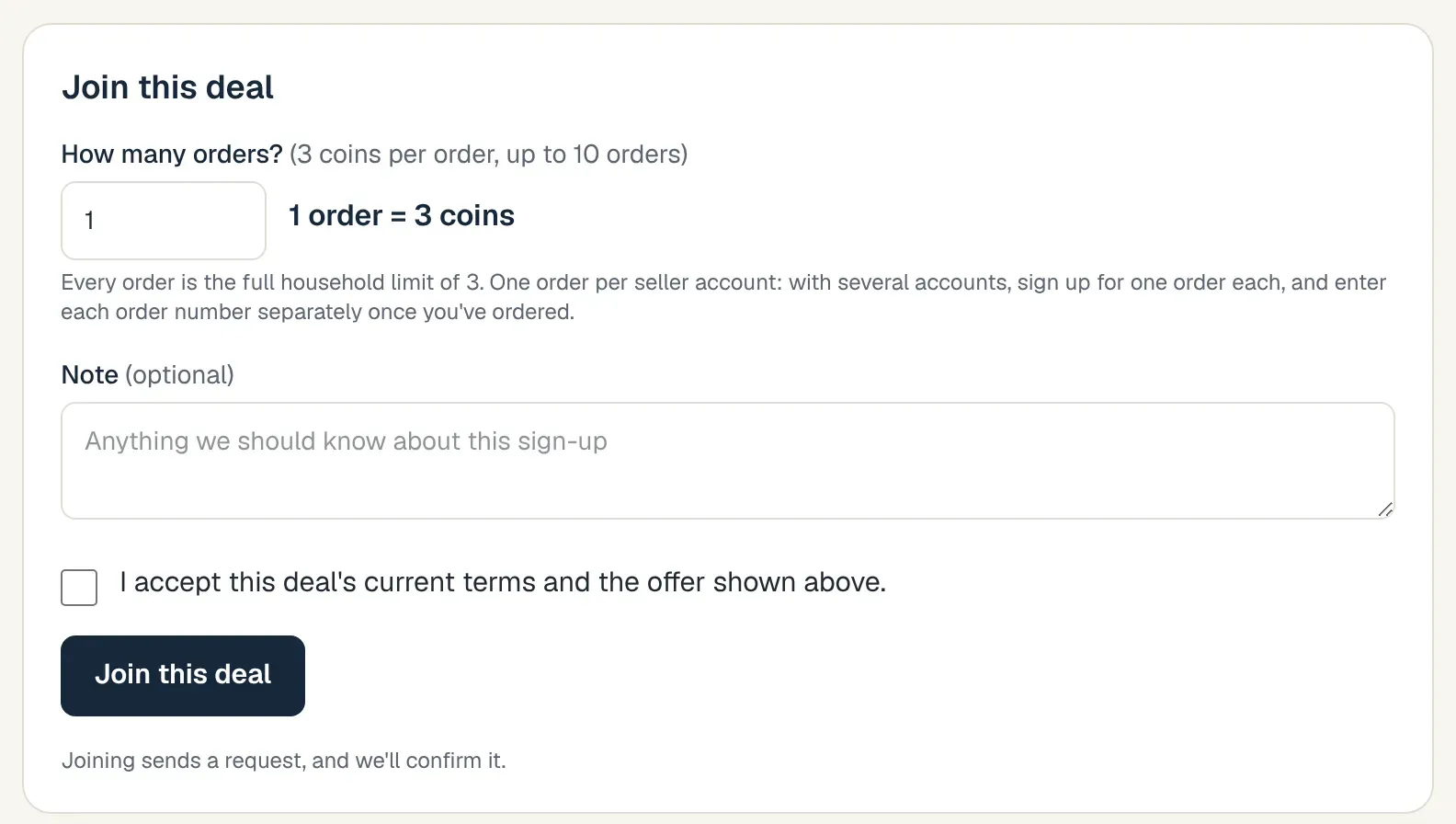
The buyer joins: how many, a note, and the terms to accept. 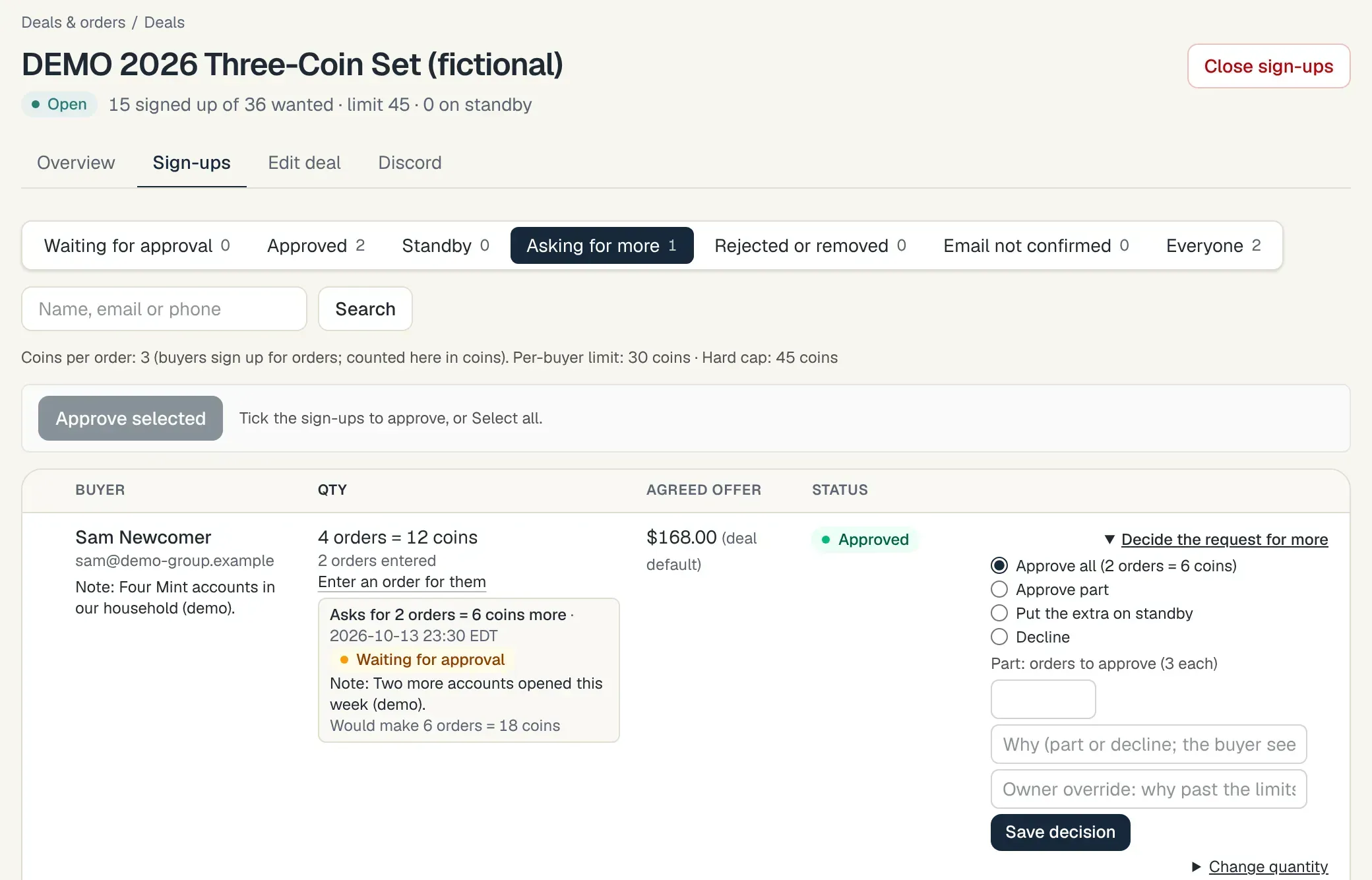
Your side: approve, approve part, or put the extra on standby. 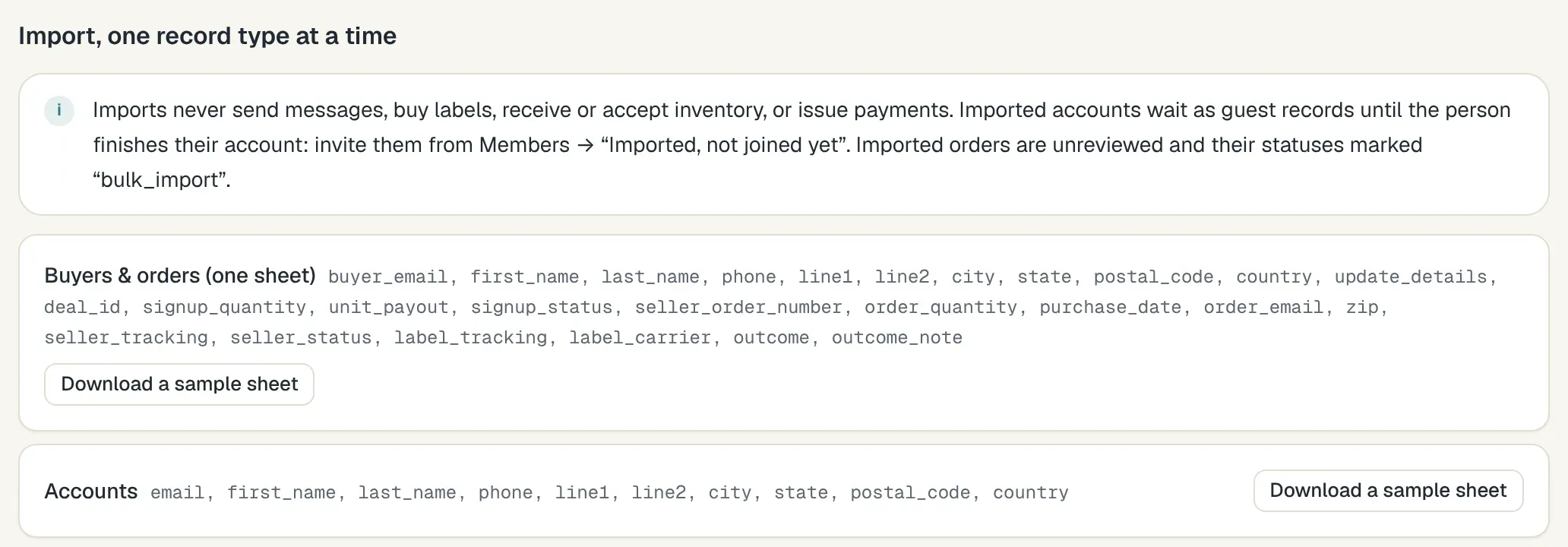
Bringing a list: a sample sheet for every upload. 3Orders come in.
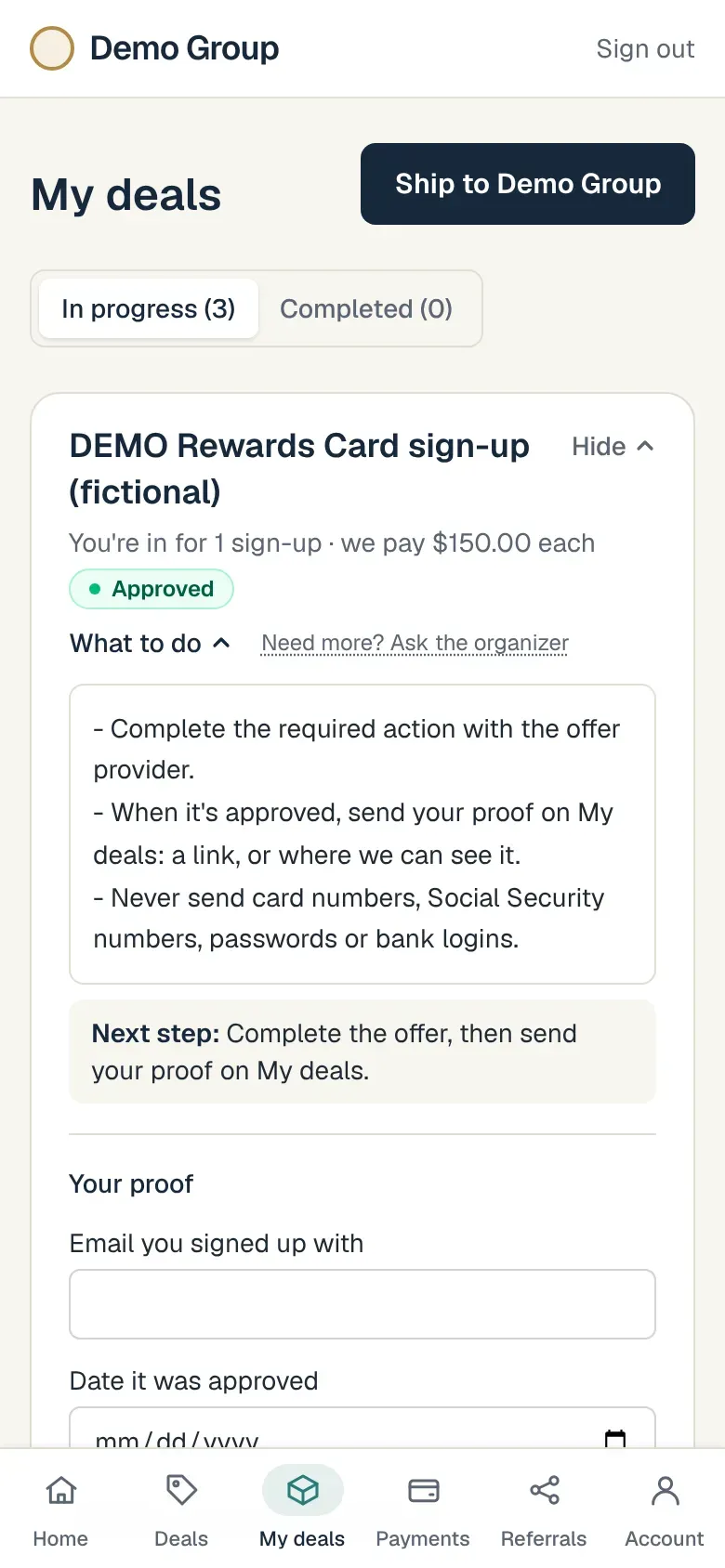
Each buyer enters the seller's order number and the quantity. Once a sign-up is approved, the deal page's Enter your order info now button takes them straight to the order form on My deals. The portal flags duplicates. Once a tracking number is in (from the seller, the buyer, your staff or an import), the carrier is checked automatically after you connect your carrier accounts. Seller order status is checked where the seller allows it.
On a coins-per-order deal, each order entered is one lot with its own order number. Members can add a short note to a sign-up or an order, and you see it where you review them.
Optional: add orders and tracking from seller emails your members forward.
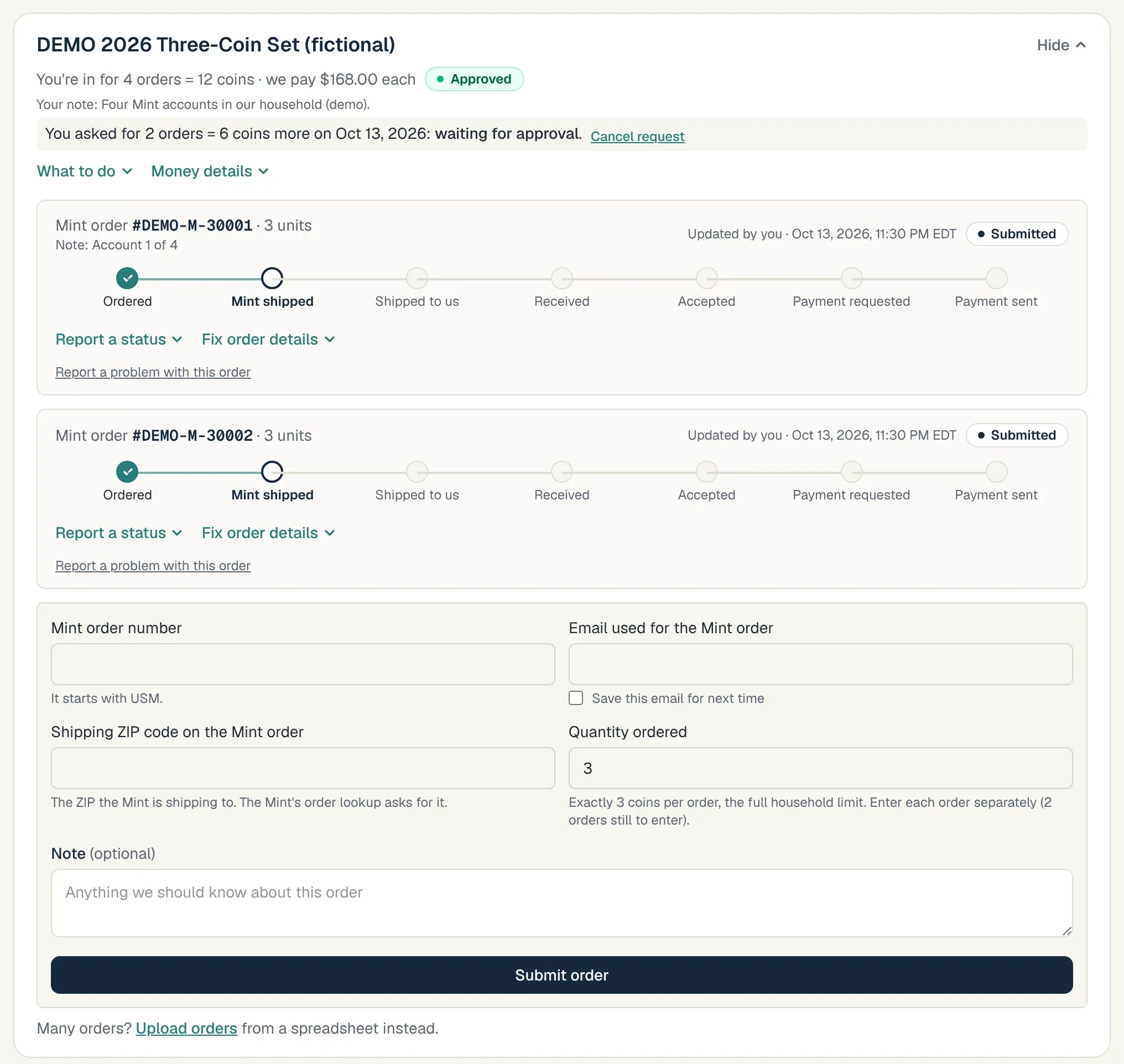
The buyer enters each order on My deals. 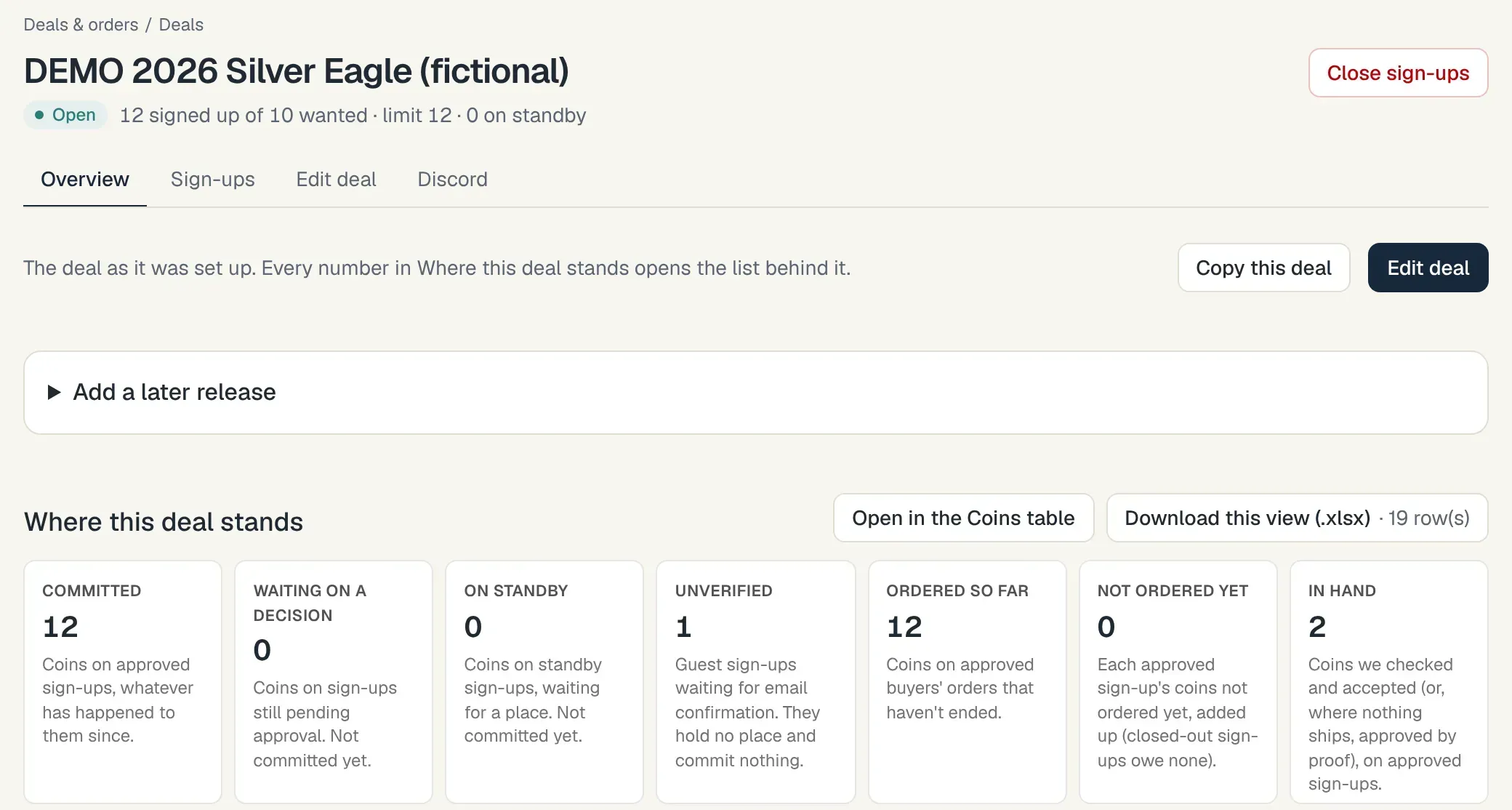
The deal's record: where every sign-up and order stands. 4Boxes arrive.
Receiving and checking happen on a phone: scan the label with a barcode scanner or type the tracking or order number, then count what's inside, mark it accepted or note the problem. Labels, if you use them, are made in a queue you review before anything is bought.
Real label purchases stay off until you turn them on; until then the queue makes test labels only.
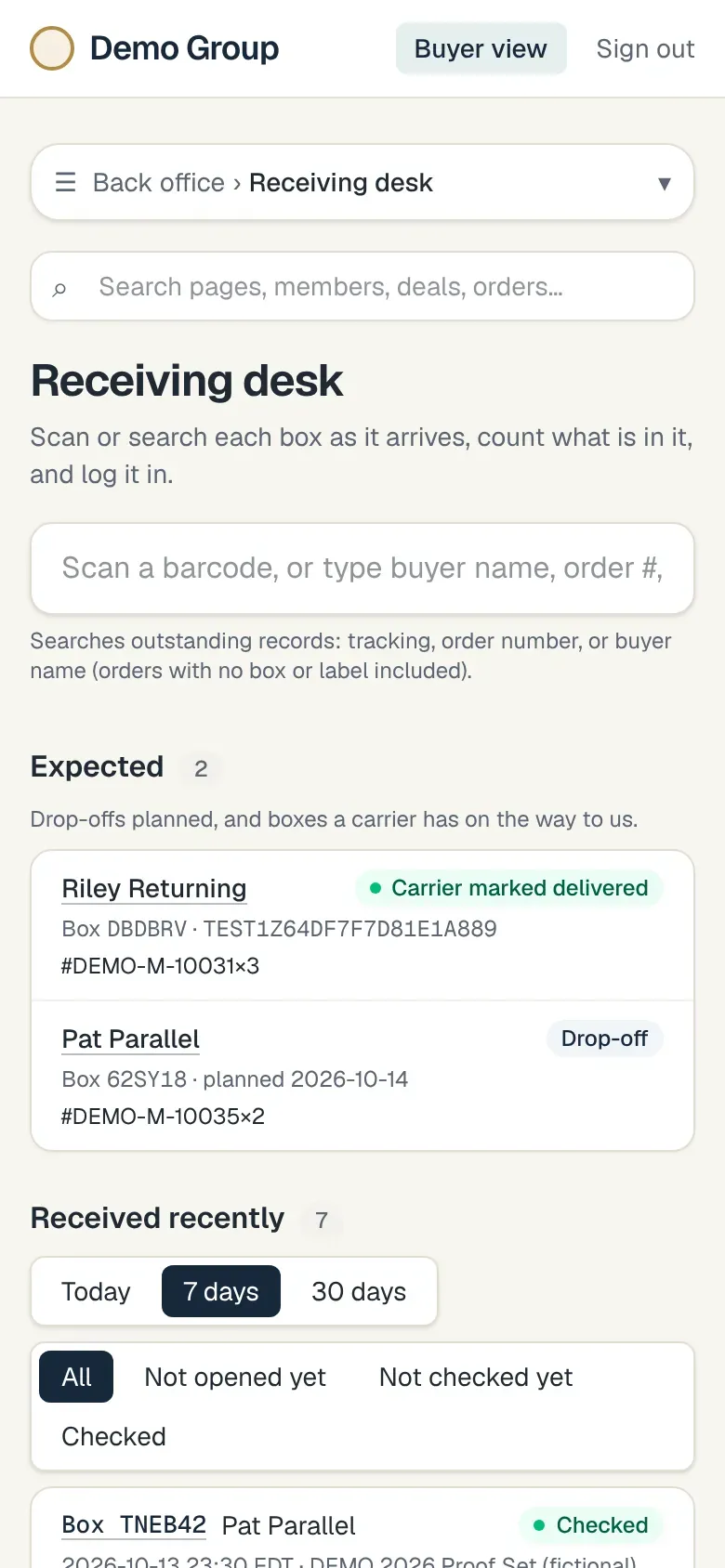
The receiving desk, on the phone app. 5Buyers get paid.
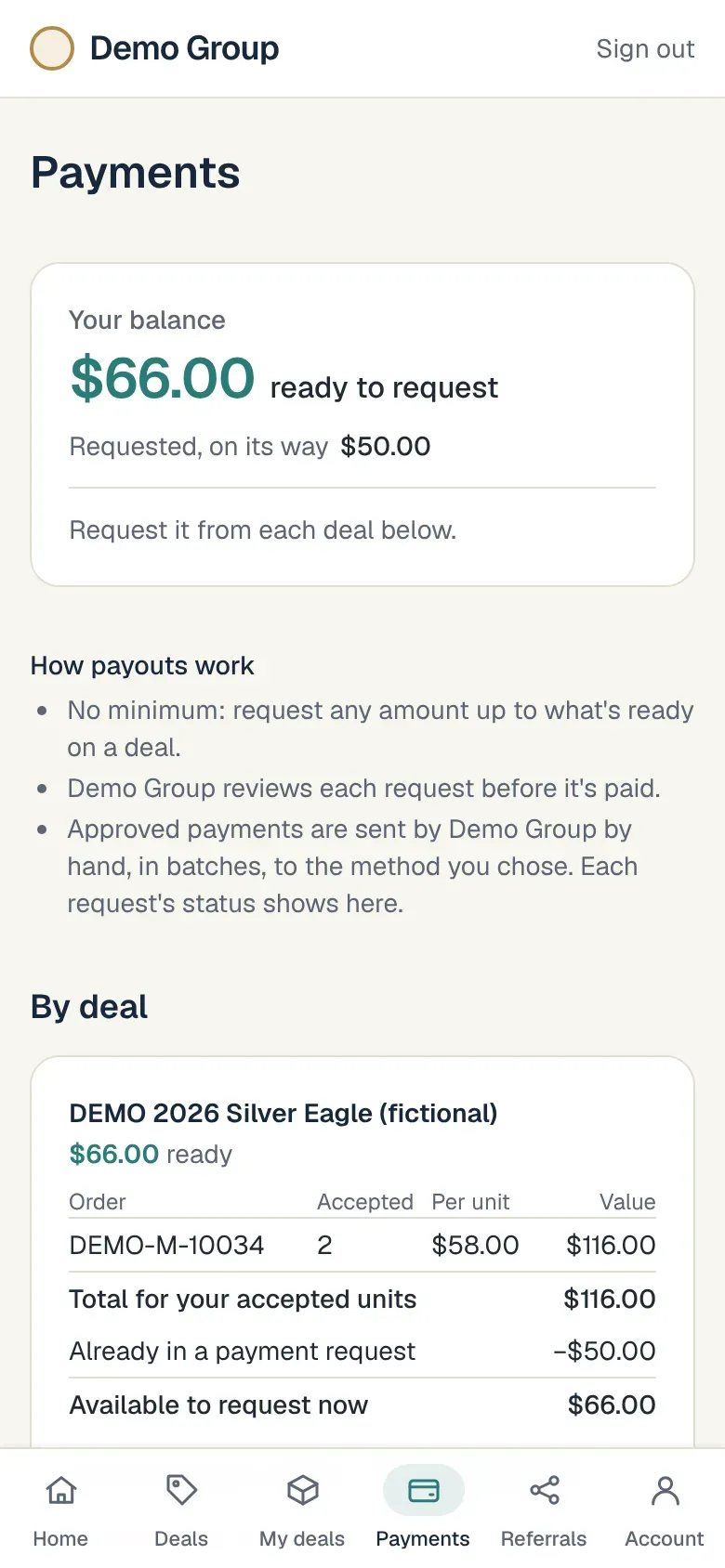
Amounts owed are calculated from what was accepted. You approve each payout in the portal, pay it from an export through your own bank or Zelle, and record it by hand, in full or in part. The buyer sees what's owed and what's paid, and a payment document is kept for both of you. Referral commissions are worked out and recorded alongside, and so are dealer invoices.
If an assistant sets up a payment, someone else approves it. Paying more than a buyer is owed takes an override confirmed twice, with a reason, and the difference is recorded as money owed back. Notes on a payment or a box are shown to the staff who review it and to the buyer.
Kvutza calculates and records payouts; it doesn't send money. Assistant accounts and W-9 collection stay off until you turn them on.
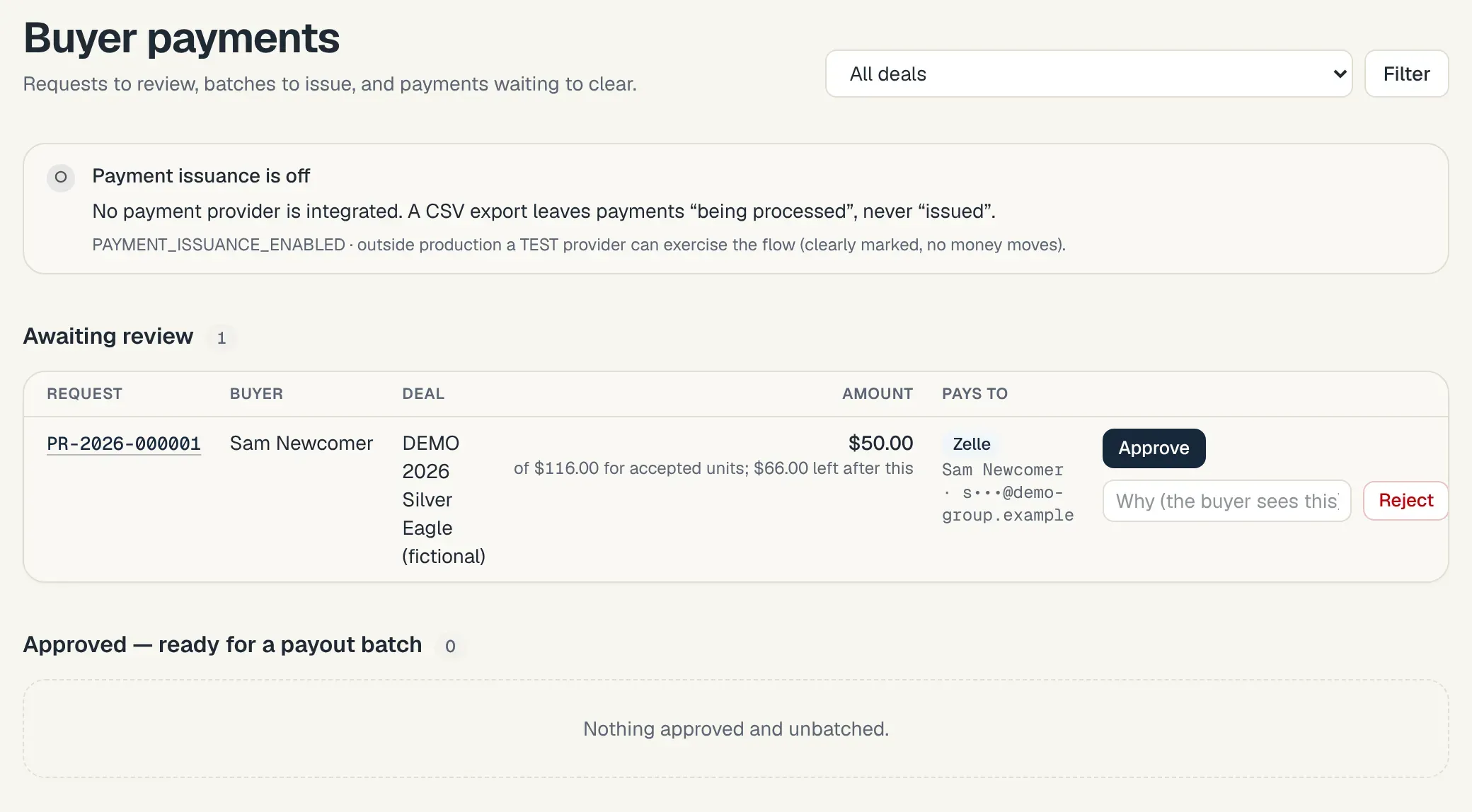
The review queue. 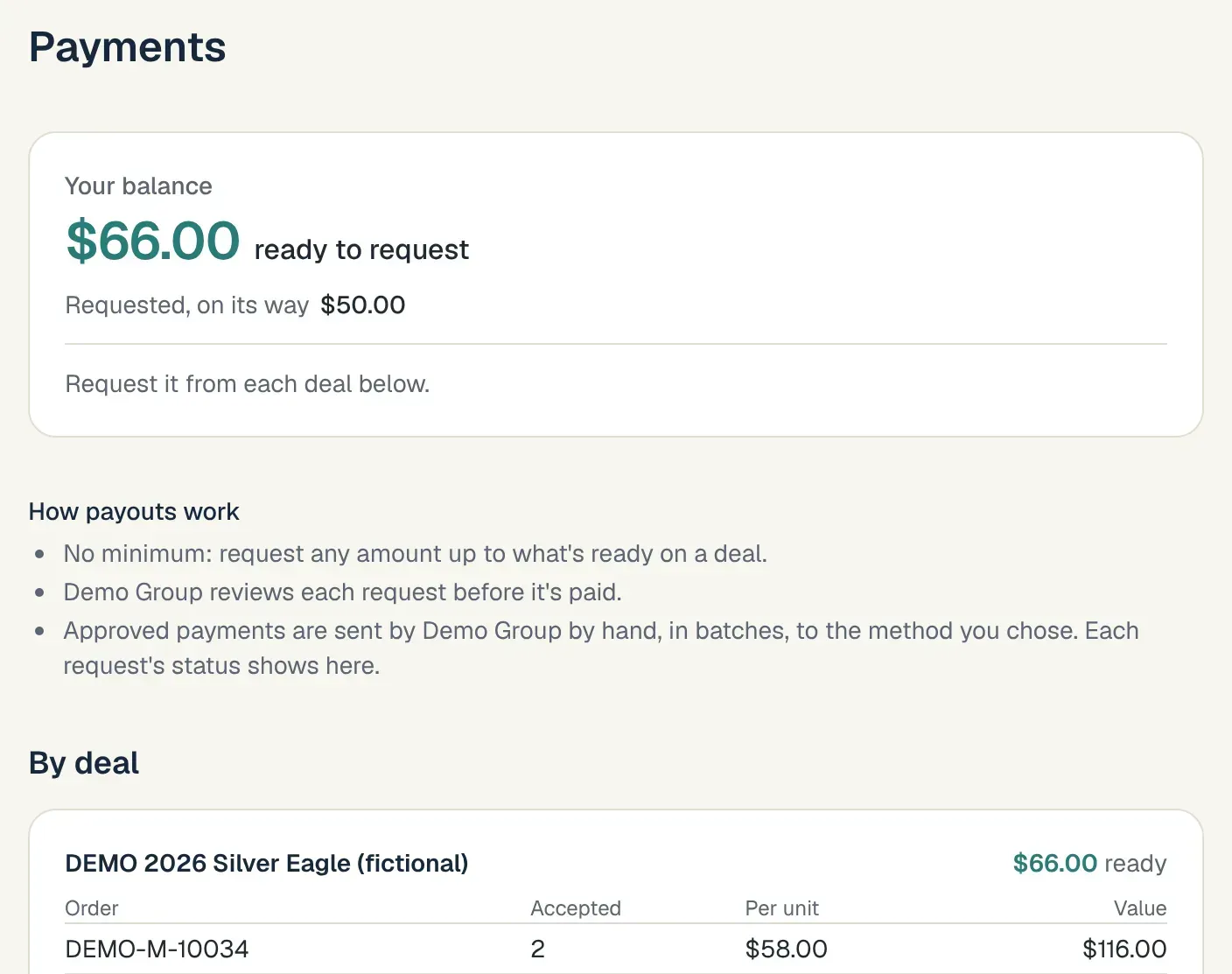
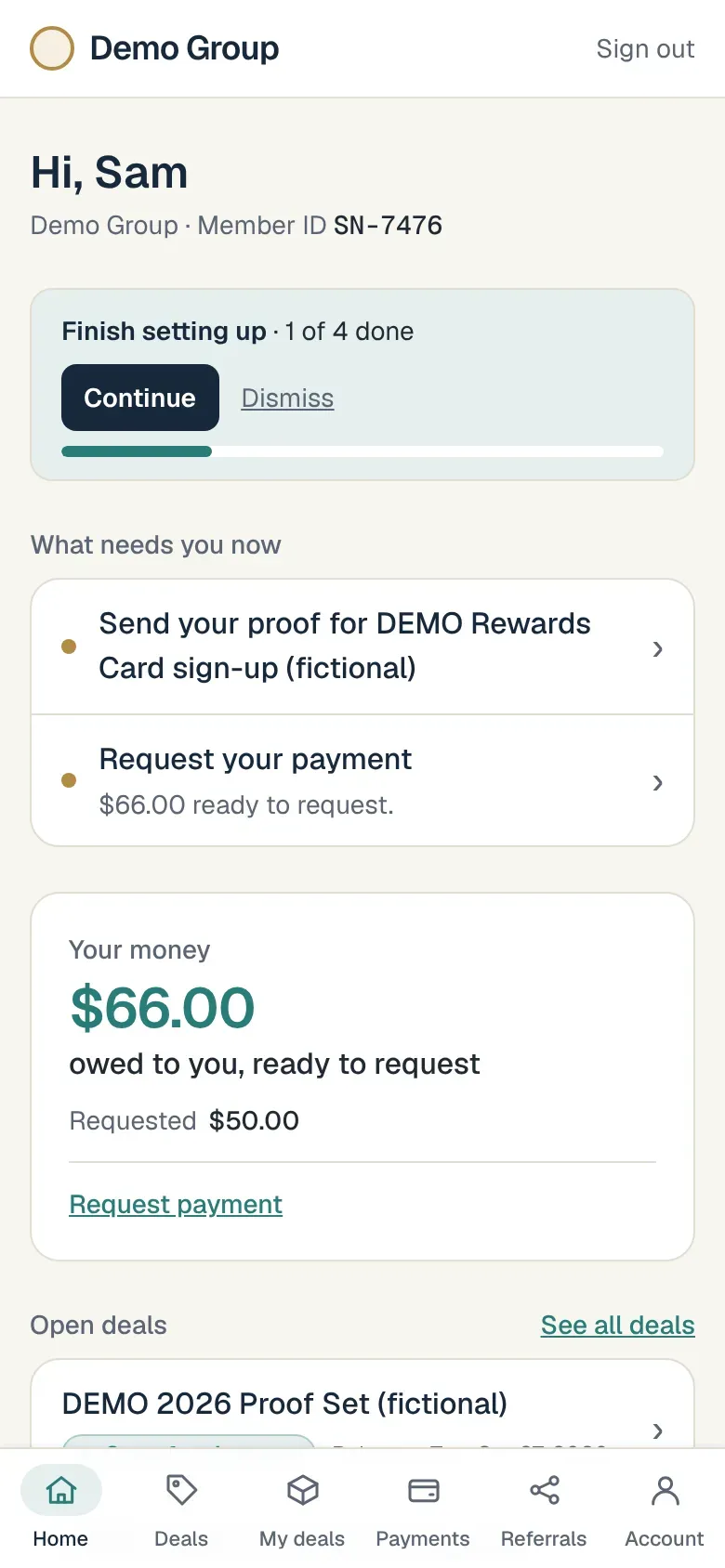
What the buyer sees: owed, requested, paid. 6You see the whole picture.
Profit per deal, what's outstanding, who's owed what, and a Needs-attention list that tells you what to do next. Assistants, once you switch their accounts on, see only the areas you grant.
Each deal shows the coins committed on approved sign-ups and where they stand, stage by stage, so you can see what is still outstanding. The Coins page lists every sign-up, with filters you can combine and totals for whatever you've filtered; dollar figures only for the people allowed to see money.
Keeping buyers posted: you choose which notifications to turn on (text, WhatsApp, Discord, phone notifications), and each buyer picks theirs. Under Messaging → WhatsApp & text, a message for many buyers is prepared as a personal copy for each, and you send each one from your group's own WhatsApp with one tap. Automatic WhatsApp sending needs the optional WhatsApp Business setup.
From your phone, the On the go screens let you open or close sign-ups, approve them one by one or all at once, change a deal's target, limits, maximum per buyer, release time or order deadline with a note, and see what needs attention.
One search box at the top of every back-office page finds members, deals, orders and pages by name. Press “/” to jump to it.
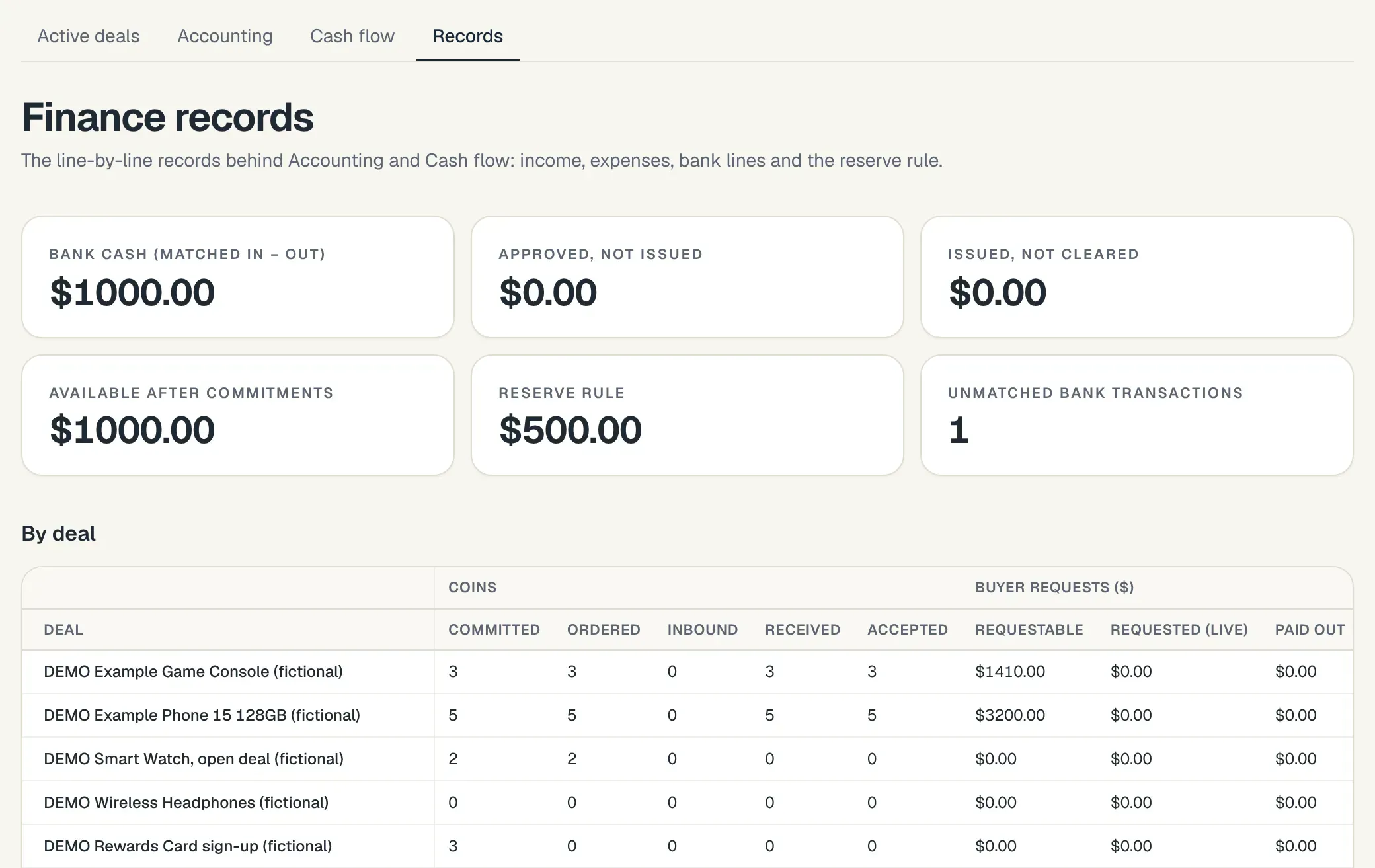
Owner-only finance, deal by deal. 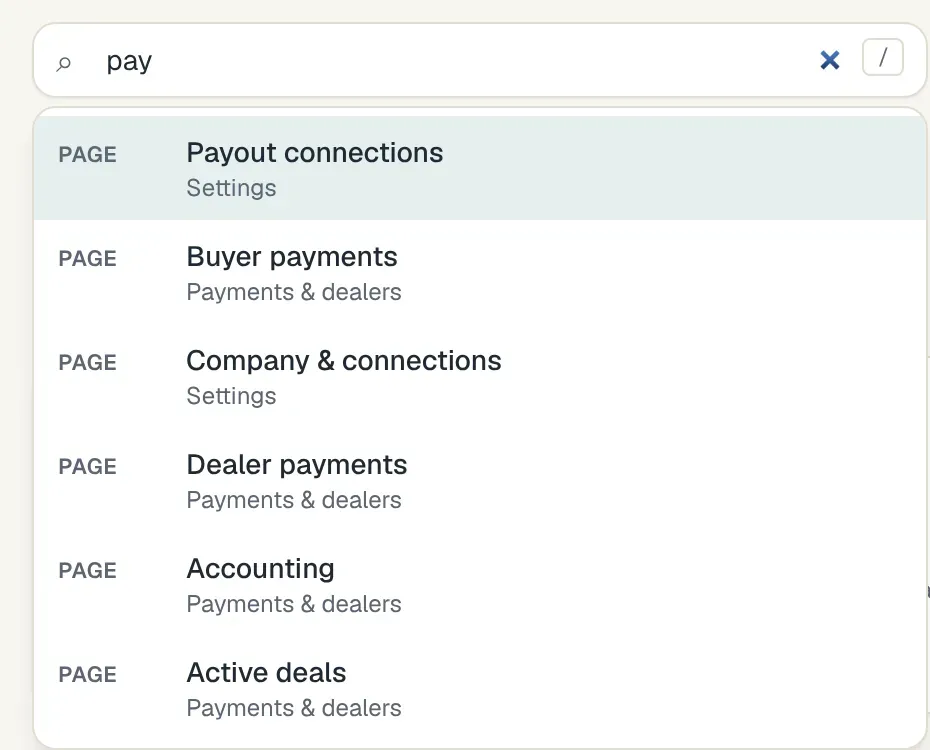
Back-office search.
The buyer's side, on a phone
Buyers install the portal to their home screen. They see their own deals, orders, boxes and payments, and nothing of anyone else's.